

Print Credits and Purchased Blocks
At the start of the academic year, the University provides $30 of print credits that are added to your MyPrint Complimentary account. The cost of print jobs are deducted from the MyPrint Complimentary account first. The complimentary $30 supports the printing needs of most students throughout the year.
If additional print credits are needed, they can be purchased in $5 increments. Purchased credits will be added to your MyPrint Purchased Blocks account (each purchase is applied to your Student Bill). The maximum balance allowed on the MyPrint Purchased Blocks account is $30.
Please note: MyPrint Purchased Blocks are non-refundable.
Purchasing Additional Print Credits
The steps below will guide you through the purchase process.
1. Go to mycard.brown.edu, and log in.
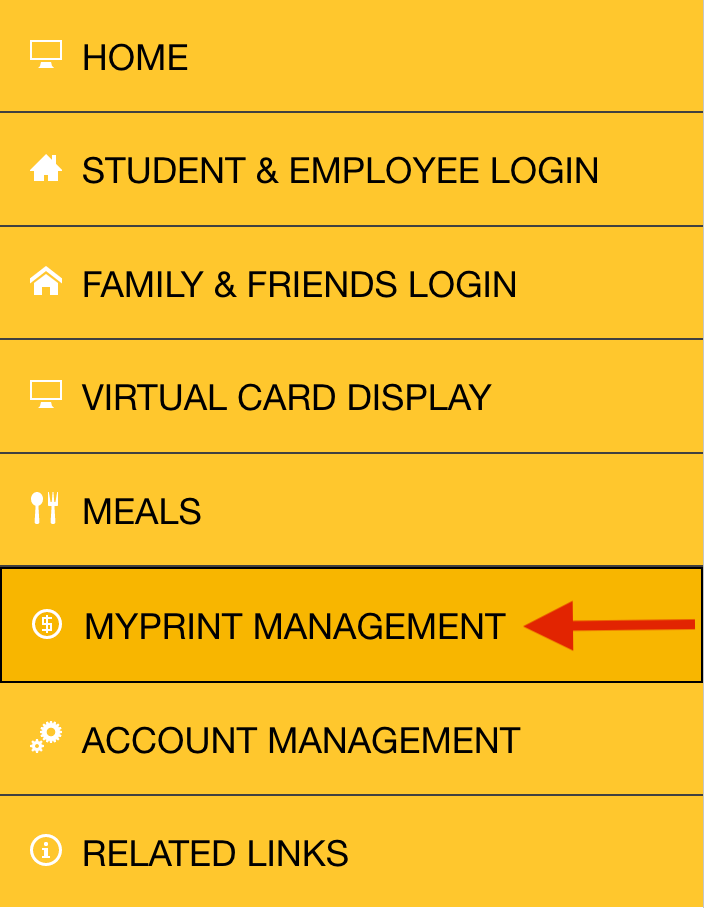
2. Select MyPrint Management from the left side menu.
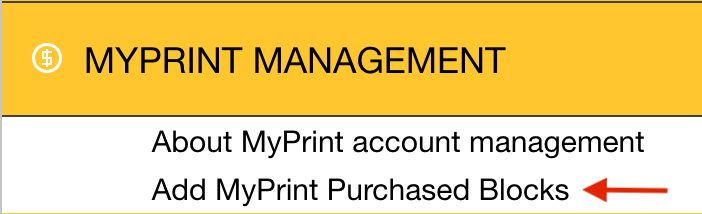
3. From the drop-down menu, select Add MyPrint Purchased Blocks.
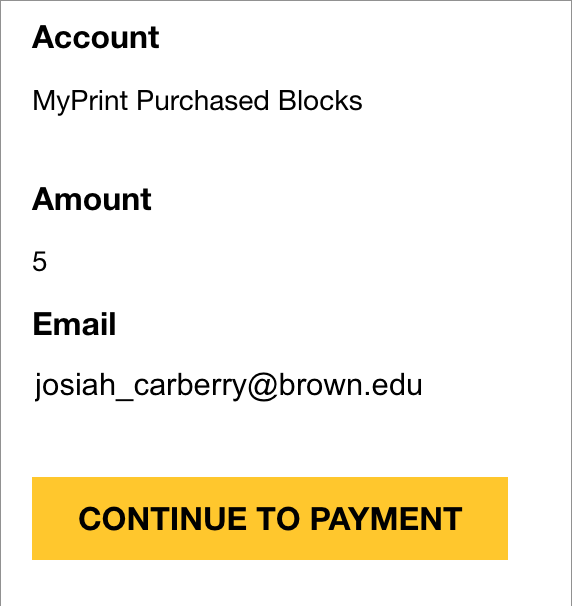
4. Then select Continue to Payment.